
Create Your Character’s Angry Dance with angrydance
In angrydance, add a character photo and a dance reference video. Choose 720p or 1080p and character orientation, then check the credit quote before generating.
What is angrydance?
What is angrydance?
AngryDance creates an angry dance performance from a character photo and a dance reference video. The photo guides appearance, hairstyle and clothing; the video guides movement and timing. Use a clear subject and a reference you have permission to use. Add an optional description for expression or visual details, select 720p or 1080p and character orientation, and review the credit quote. Preview the completed performance and download the clip you want to keep. Change one angrydance reference at a time when comparing different versions.
Core features
What Shapes Your angrydance Video?
With angrydance, give the character and the dance their own references, then make focused choices before generating.
Who will perform the dance?
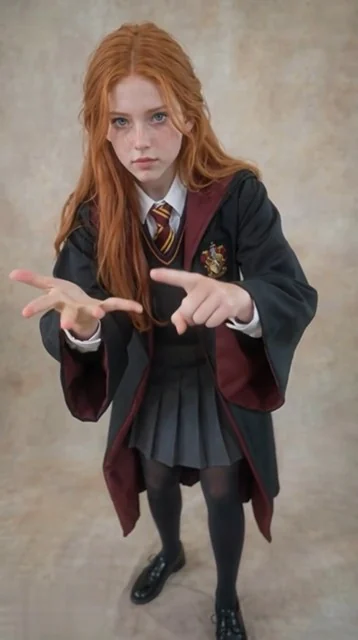
For your angrydance character, use a clear character photo to guide the face, hairstyle and outfit. Full-body framing gives expressive arms and footwork room to move.
Where do the dance moves come from?
To guide angrydance motion, add a dance reference video with a readable sequence of gestures and steps. Its movement and timing guide the new performance.
Which references work well together?
For an angrydance reference pair, choose a visible subject and a steady dance clip. Similar framing helps you judge the relationship between the character and the movement.
Do you need a long prompt?
In angrydance, the description is optional. Use a few words to guide expression or appearance while the reference video supplies the dance.
Which output quality will you choose?
Choose 720p or 1080p in angrydance. Match the quality and character orientation to your references, then review the quote before generating.
How do you check the result?
For each angrydance take, review the credit quote before generating. When the task finishes, preview the movement and appearance, then download the take you want.
Dance showcase
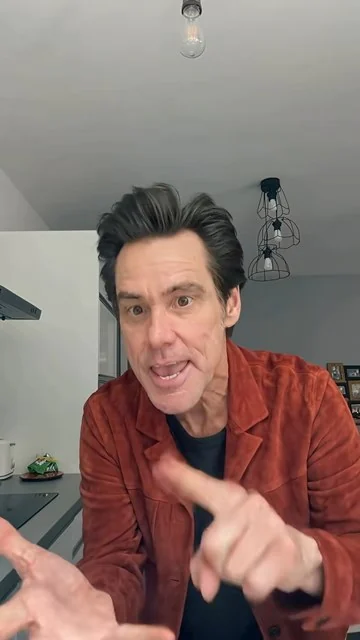
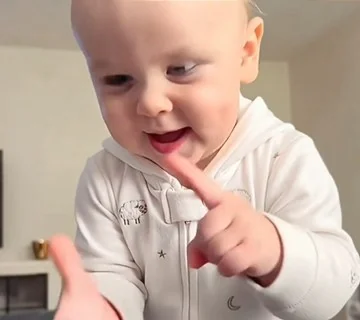
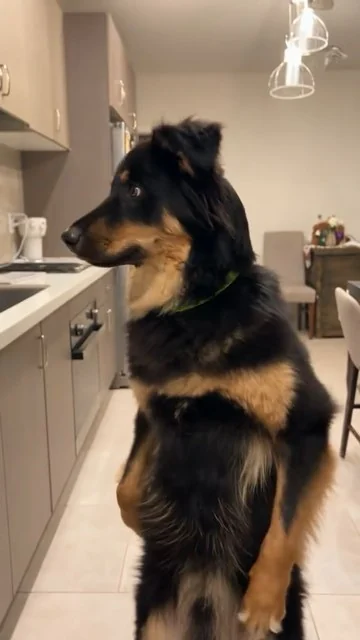
Who will dance: a person, a baby or a pet?
Explore four character performances, choose a movement and add your own character photo.
How it works
How Do You Make an angrydance from Two References?
To start in angrydance, prepare the character, choose the dance and check the quote before starting.
Which character photo will you use?
Start your angrydance preparation here: add a clear photo with the face and body visible. Leave space around the arms and feet so the character has room to perform.
Which dance should the character follow?
In the angrydance composer, upload the dance reference video. Add an optional description, then choose 720p or 1080p and the character orientation.
Is the quote ready to generate?
Before angrydance generates the clip, check the inspected reference and displayed credits. Generate, follow the task status, then preview and download the completed video.
Creative advantages
Why Pair a Character Photo with a Dance Reference?
For your angrydance project, a visible person and a clear movement example make the creative direction easier to shape.
Keep a recognizable character
For an angrydance character, a familiar face, hairstyle and outfit give the new dance a clear visual identity. Start with the character you want viewers to notice.
Show the movement you mean
For angrydance motion, a reference clip communicates gestures, footwork and timing directly. Choose the performance that best expresses your dance idea.
Keep the description focused
In your angrydance description, use optional text for the details that matter, such as expression or visual direction. The video already provides a movement reference.
Give the body room to perform
When framing an angrydance performance, clear framing and space around the character help you plan visible arm movements and steps before you submit.
Choose the detail for your project
When choosing angrydance quality, compare 720p and 1080p alongside the displayed quote. Make a deliberate quality choice for each clip.
Develop another take with purpose
For your next angrydance version, preview the result, then change the photo, dance reference or optional description to explore a different performance.
Make room for your next creation
Start creatingAngry Dance inspiration
Which Angry Dance will your character try?
Explore expressive performances with people, babies, cats and dogs. Preview a motion, pair it with your character photo, or copy its description to develop your own version.
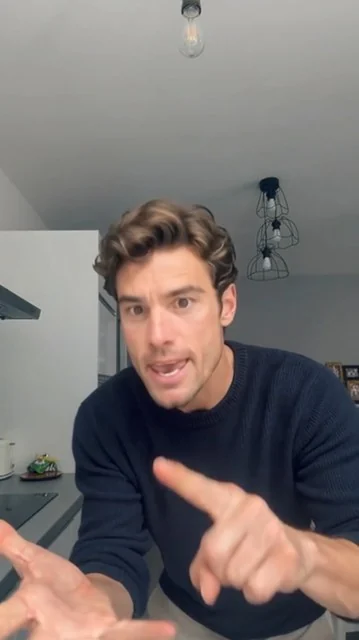
Blue top, close-up performance
15 secMake the photo character follow the reference video’s gestures, shoulder movement and rhythm. Preserve their appearance, outfit and original setting.
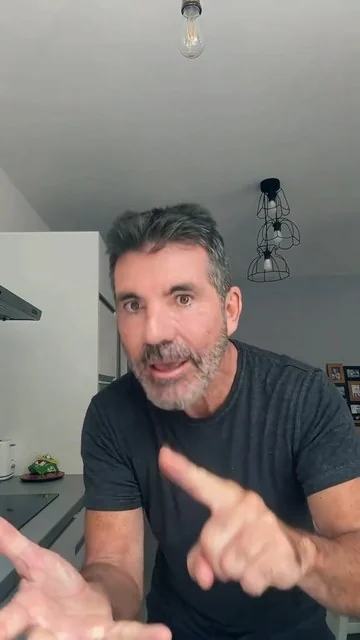
Black tee, rhythmic gestures
15 secMake the photo character follow the reference video’s gestures, shoulder movement and rhythm. Preserve their appearance, outfit and original setting.
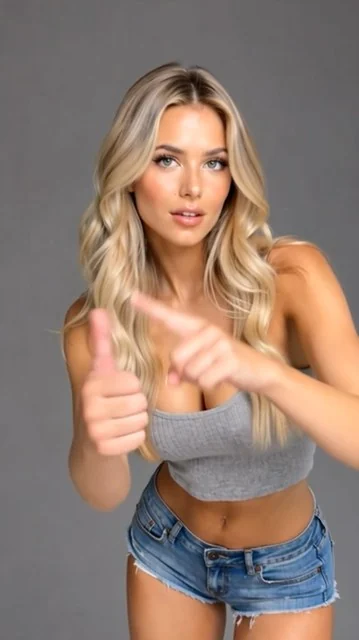
Blonde dancer, a short routine
5 secMake the photo character follow the reference video’s gestures, shoulder movement and rhythm. Preserve their appearance, outfit and original setting.
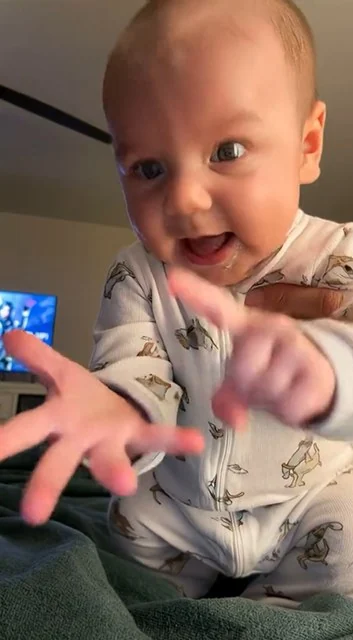
Baby on a bed, expressive gestures
15 secMake the baby character follow the reference video’s playful hand movements and body rhythm. Preserve their appearance, clothes and original setting.
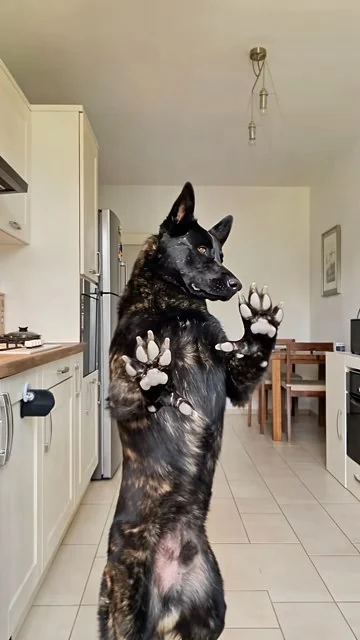
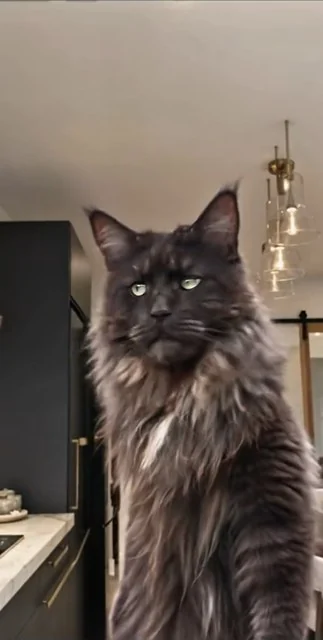
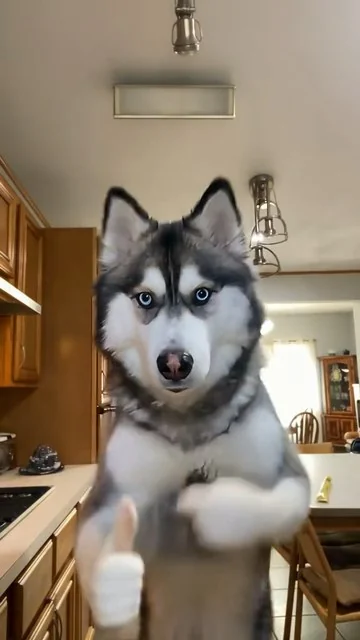
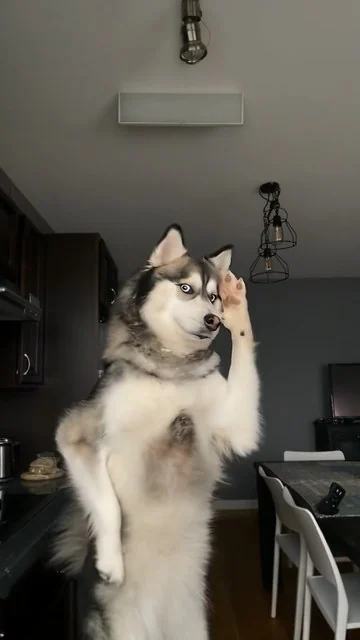
Pets with personality
How do cats and dogs perform Angry Dance?
Compare paw movements, expressions and body rhythms to choose a reference for your next video.
Create anywhere
Turn an idea into a video on any screen
Use the same workspace on your phone, tablet or desktop.
Start creating
YOUR QUESTIONS, ANSWERED
How Do You Make an Angry Dance Video with angrydance?
How does angrydance make a photo dance with a reference video?
Add a character photo and a dance reference video. angrydance uses the photo to guide the person’s appearance and the video to guide movement. An optional description can add expression or visual direction.
Which character photo should I use in angrydance?
For your angrydance character, choose a clear photo with the face and body visible and room around the arms and feet. Use JPG, JPEG or PNG up to 10MB. A readable full-body pose is useful for a dance with expressive gestures and footwork.
What dance reference video can I upload in angrydance?
For an angrydance motion reference, use an MP4 or MOV reference up to 100MB, with clear movement and a duration of 3–30 seconds. With image-based character orientation, keep the video within 10 seconds. Choose a clip whose dance you want to reinterpret with your character.
Do I need to describe every dance move in angrydance?
In angrydance, no. The description is optional because the reference video supplies the movement. Add a concise note about the character’s expression or important visual details when it helps your idea.
Which quality and character orientation can I choose in angrydance?
In angrydance, choose 720p or 1080p. Video orientation follows the reference video’s character orientation and supports a reference up to 30 seconds; image orientation follows the photo and supports up to 10 seconds.
How do I check the credits before generating in angrydance?
In the angrydance composer, add your references and settings, then review the quote shown for the inspected video and selected quality. Check your account balance before submitting. Use the pricing page to compare plans and credit packs.
How can I preview and download the dance in angrydance?
For your completed angrydance clip, open the completed result in the workspace or My creations. Preview the movement, character and framing, then download the clip. Keep the take you like or adjust a reference for another version.