OmniHuman 2.0
OmniHuman 2.0 creates expressive character videos from a single image and an audio track. The lips, face, hands and body follow the rhythm, tone and meaning of the voice, and an optional text prompt directs actions and camera movement. OmniHuman 2.0 works for presenters, singers, film scenes, cartoon characters and pets.
Create nowOmniHuman 2.0 Core Features
OmniHuman 2.0 is an audio-driven video model for digital humans and characters. It does not just move a mouth on a still face: from one image and one voice track, OmniHuman 2.0 builds a full performance with body language, emotion and camera work that match the sound, and it reads an optional prompt for extra direction.
Lip Sync That Carries the Emotion
OmniHuman 2.0 aligns every syllable with the mouth, and it reads the rhythm, prosody and meaning of the voice. A moved, grateful line gets moist eyes and a catch in the breath; a confident pitch gets steady eye contact. The face, head and shoulders all follow the delivery, so speeches, testimonials and dialogue feel acted rather than animated.
- Mouth shapes match every syllable
- Expressions follow tone and meaning
- Natural breathing, pauses and head motion
Singing and Music Videos
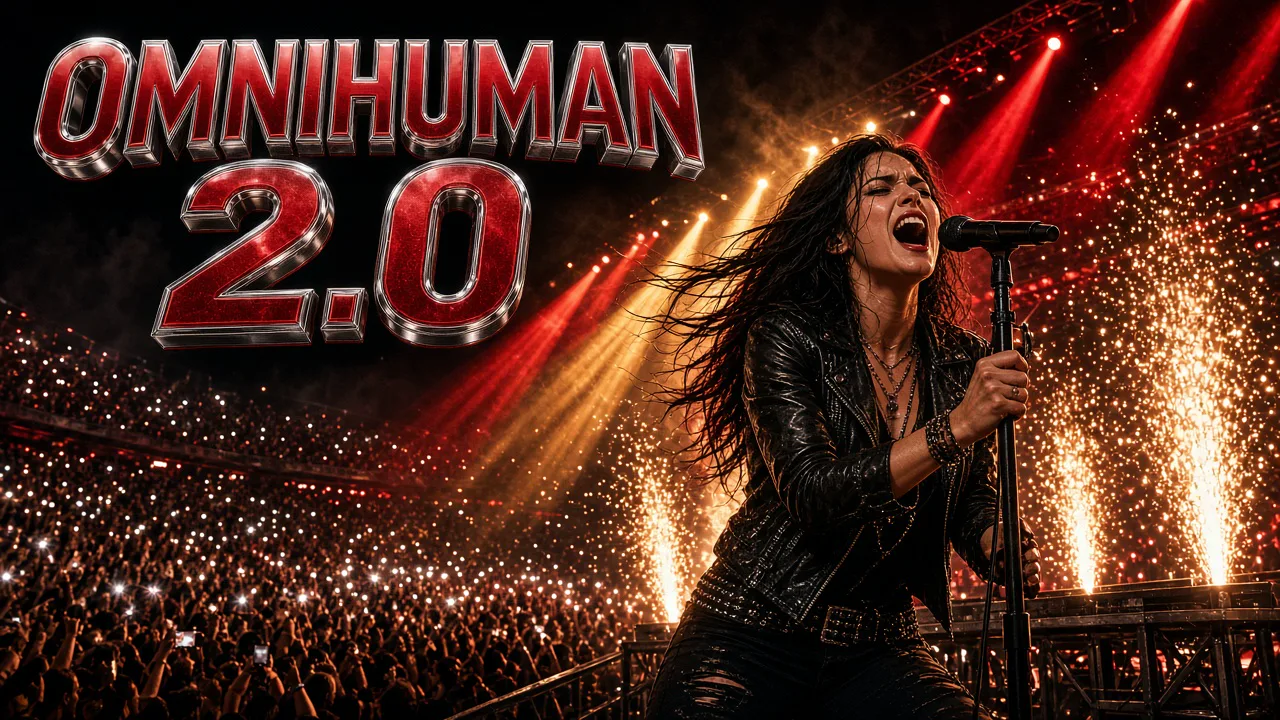
Upload a vocal track and the character sings it. Mouth shapes follow held notes and fast lines, the body moves with the beat, and the mood of the song shows in the face. With an instrument in the image, hands and strumming follow the music, which makes it easy to build performance clips, covers and music video moments. Upbeat pop, slow ballads and fast rap verses all work, because OmniHuman 2.0 follows the vocal itself rather than a fixed animation loop.
- Lip sync for melody and rap
- Body and hands move with the beat
- Ready for covers and music videos
Film-Grade Camera and Body Movement
OmniHuman 2.0 is built for cinematic scenes, not only talking heads. Characters walk, turn, run and react with true-to-life speed, while the camera can track, push in or follow the action. Describe the shot in the prompt, such as a handheld follow through a tunnel, and the model stages the movement around the voice. Because the camera and the body move together with the voice, a single take can carry a whole short scene without cuts.
- Full-body motion with real speed
- Tracking and push-in camera moves
- Scenes staged around the dialogue
Prompt Control for Scenes and Actions
A short text prompt of up to 300 characters steers what happens beyond the lips: gestures, actions, objects and camera direction. Use it to build fantasy vlogs and surreal scenes, or to ask for a specific move at a specific moment. The audio still drives timing, so the prompted action lands in sync with the voice.
- Direct gestures and actions
- Guide camera movement
- Fantasy and surreal vlogs
Cartoons, Anime and Pets
OmniHuman 2.0 is not limited to photorealistic people. Cartoon and anime characters, 3D mascots, pixel-style figures and pets can all speak or sing while keeping their own look. That opens up character channels, kids' stories, brand mascots and playful pet videos from a single image. A clean, front-facing image with a visible mouth gives OmniHuman 2.0 the best start, whatever the art style.
- Anime, 3D and pixel styles
- Pets and animal mascots
- Original style preserved
How to Create With OmniHuman 2.0
Three steps from an image and a voice to a finished video. The workspace checks both files and shows the credit quote, based on the length of your audio, before you generate. OmniHuman 2.0 never generates until you confirm, and any file outside the accepted format, size or length is refused with a clear reason so you can fix it right away.
- 01
Add an Image
Upload one JPG, PNG or WEBP up to 30 MB, between 300 and 6000 pixels per side. A clear face and a visible mouth give the best lip sync. Portraits, half-body and full-body shots, cartoons and pets all work.
- 02
Add the Voice and an Optional Prompt
Upload speech or singing as MP3 or WAV, up to 15 MB and 4 to 300 seconds long. Clean audio works best. Add a short prompt of up to 300 characters to describe actions, mood or camera movement if you want extra control.
- 03
Generate and Download
Check the quote, which follows your audio length, then generate a 720p video. Preview the performance, download the MP4, or adjust the prompt and generate another take.
OmniHuman 2.0 vs Kling AI Avatar 2.0
Both models turn a portrait and a voice into a talking or singing video. OmniHuman 2.0 adds camera movement, full-body action and longer clips at one 720p price. Kling AI Avatar 2.0 focuses on close-up presenters and offers a 1080p Pro option. Choose OmniHuman 2.0 when you want a longer or more cinematic performance, and the Kling model when you need a crisp 1080p close-up.
| Compare | OmniHuman 2.0 | Kling AI Avatar 2.0 |
|---|---|---|
| Best for | Cinematic scenes, music videos, longer talks | Presenters, short ads and greetings |
| Inputs | One image, one audio file, optional prompt | One portrait, one audio file and a prompt |
| What moves | Lips, face, hands, full body and camera | Lips, face, head, hands and upper body |
| Character styles | Real, anime, 3D, pixel art, pets | Real, anime, illustrated, stylized |
| Length | Follows your audio, 4–300 seconds | Follows your audio, up to 15 seconds |
| Quality | 720p | 720p Standard · 1080p 48 fps Pro |
| Image upload | JPG / PNG / WEBP, up to 30 MB | JPG / PNG, up to 10 MB |
| Audio upload | MP3 / WAV, up to 15 MB | MP3, WAV, AAC, M4A, OGG |
| Prompt | Optional, up to 300 characters | Required: persona, expression, motion style |
| Camera movement | Prompted tracking and push-ins | Mostly fixed framing |
| Credits on AngryDance | 28 per second at 720p | 16 per second Standard · 32 per second Pro |
| 10-second clip | 280 credits at 720p | 160 credits Standard · 320 Pro |
OmniHuman 2.0 FAQ
Quick answers about inputs, video length, prompts, character styles and credits.
What is OmniHuman 2.0?+
OmniHuman 2.0 is an audio-driven character video model. From a single image and an audio track it creates a video in which the character speaks or sings with matching lip sync, expressions, gestures and body movement, with optional prompt control over actions and camera.
What do I need to upload?+
One image (JPG, PNG or WEBP, up to 30 MB, 300 to 6000 pixels per side) and one audio file (MP3 or WAV, up to 15 MB, 4 to 300 seconds). A text prompt is optional.
How long can an OmniHuman 2.0 video be?+
The video matches the length of your audio. On AngryDance each video uses 4 to 300 seconds of audio, which covers intros, explainers, full songs and five-minute talks. For longer scripts, split the audio and keep the same image.
What does the prompt do?+
The audio drives timing and lip sync; the prompt adds direction. Describe actions, gestures, objects or camera movement in up to 300 characters, for example: she raises her trophy and smiles as the camera slowly pushes in.
Can OmniHuman 2.0 sing?+
Yes. Upload a sung vocal or a rap and the mouth follows the melody and rhythm while the body and hands move with the music.
Does it work with cartoons and pets?+
Yes. Anime and cartoon characters, 3D mascots, pixel-style figures and pets can speak or sing while keeping their own style. A clear, visible face gives the best result.
What resolution is the output?+
Videos are generated in 720p, which suits social clips, presentations and previews. For 1080p talking avatars, use Kling AI Avatar 2.0 Pro.
How many credits does OmniHuman 2.0 use?+
Credits follow the length of your audio at 28 credits per second, so a 10-second clip costs 280 credits and a 30-second clip costs 840. The workspace shows the exact quote before you generate, and new accounts can claim free credits.
How is OmniHuman 2.0 different from Kling AI Avatar 2.0?+
OmniHuman 2.0 adds full-body motion, camera movement and clips up to 5 minutes, with an optional prompt. Kling AI Avatar 2.0 is tuned for close-up presenters with a required performance prompt, clips up to 15 seconds and a 1080p Pro option.
How do I get the best results?+
Use a well-lit image with the mouth fully visible, clean audio without music bleeding over speech, and a short prompt that names one or two key actions. Keep the framing in the image close to the shot you want.
Can I use the videos commercially?+
Use images, voices and prompts you own or are authorized to use, including permission for any real person's likeness and voice. Review AI output before sharing or commercial use, because it may contain errors or unintended similarities. The Terms page has the full rules.